
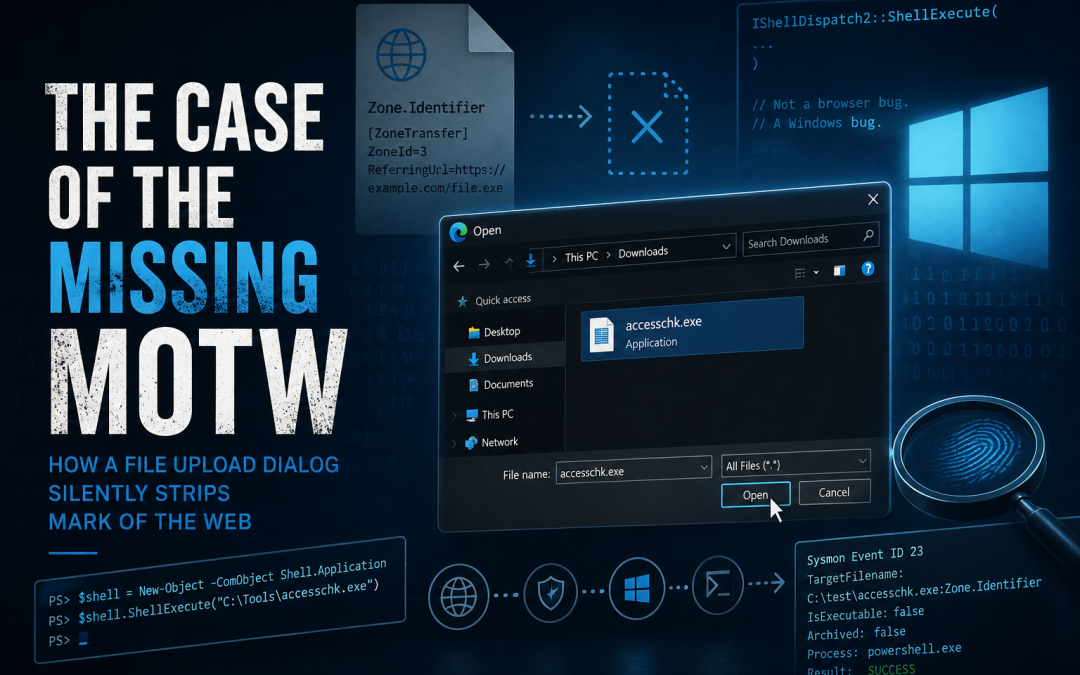
Luke had just finished mapping out his side journey into the minutia of dropping executables onto a target, which he detailed in SmartScreen and MotW: The Forgotten Phishing Obstacle. A core part of that was trying to keep Mark of the Web (MotW) from landing on a payload in the first place: ZIPs, ISOs, blob URLs, etc. It appeared that all of those were mostly patched and closed.
In the background, I kept thinking about it and started wondering about other possibilities.
A bit later, a co-worker dropped a link in our group chat. It was a reference to a simple blog post. Someone was talking about FileFix, a ClickFix variant where you trick a user into typing a command into a browser's file upload dialog instead of the Run box. Another social engineering attack. Mildly interesting.
A bit of clicky clicky and we see that MS has a trigger for this setup and string. Probably a regex that could be bypassed with a bit of effort. But, something else was there. A little nagging thing in the back of my brain. That spidey-sense we joke about. The unconscious part of the brain identifies something more through feeling than words.
I went back to the original post; read through the details again, replayed the attack again, read through the annoying page setup and JavaScript (JS) nonsense. (I still truly hate JS. My loaded 20yr old JS trap interview question is no longer relevant, because a bunch of folks decided running JS on the server was brilliant... but I digress.)
The quoted researcher, mr.d0x, had ignored the thing (at least publicly) underneath the social engineering bits. This is what I couldn't let go of, but didn't yet understand. Files executed through that dialog didn't trip up on MotW.
But, how? Was it written without an alternate data stream (ADS)? Was it some kind of temp file write thing? A location write thing? An execution thing?
What exactly was I missing here? I'm sure it was something dead simple, but nothing I immediately churned through said "Oh, it's this". I just had guesses. Lots of 'em. Good ones, bad ones, off-the-wall ones. Just no answers.
What MotW Actually Is
The quick version: Files you download from the Internet with a browser (like Edge, or Chrome) have a special thing associated with them, if they're stored on the NTFS. So, at least MS found a use for their ADS I guess. The thing, specifically, is the Zone.Identifier. That's what Windows stamps on every file you download to say hey, this came from outside, be careful. That's MotW.
It contains something like this:
[ZoneTransfer]
ZoneId=3
ReferringUrl=https://wherever-you-got-it.com/file.exe
ZoneId=3 means Internet zone. Untrusted. That tag is what makes SmartScreen fire. It's the thing that causes the "this file came from another computer" warning message. It's what EDRs use to score file reputation and make behavioral decisions. What this means for Red Teamers, or threat actors, is that without it, your payload looks like it was born locally. All shiny and clean.
Stripping out MotW, or avoiding its inclusion to ADS is a known attacker goal. The normal setup is that a user attempts to execute this file from the internet, they get the Windows OS this is dangerous dialogue box and then the user has to actively choose to continue. There are, of course, other ways to do this as well such as the user deliberately selecting the Right-click | Properties | Unblock on the file. Or maybe use PowerShell's Unblock-File. Both still require the user to make a conscious decision to trust the file before they can just execute it.
But the thing I was staring at, through no part of that did I click yeap, about to be pwned thanks, keep going. So, what was happening?
This is where my can't stop until I figure it out nature kicks in. I needed to figure this out. Maybe it was clever, maybe it was known. I didn't know it. I wanted to see the actual ground truth of what was happening here.
The Test
The days of single command to do a thing are long long gone. That means, there are a few ways to do things like check a file's ADS data stuff. I'm a minimalist, mostly, so, I used "normal" MS Windows tools.
First, I grabbed a downloaded binary (accesschk.exe, Sysinternals) for this specific testing purpose.
C:\Tools> dir /R accesschk.exe
 Volume in [...]
06/24/2026  03:33 PM         1,468,320 accesschk.exe
                                     7 accesschk.exe:SmartScreen:$DATA
                                    82 accesschk.exe:Zone.Identifier:$DATA
               1 File(s)      1,468,320 bytes
               [...]
OK. As expected. Edge downloaded it and it's got a Zone.Identifier ADS. What exactly is in there?
C:\Tools>more < accesschk.exe:Zone.Identifier
[ZoneTransfer]
ZoneId=3
ReferringUrl=https://live.sysinternals.com/accesschk.exe
I used the file upload dialog in Edge to navigate to and execute it.
Checked again.
Zone.Identifier was gone. Not blocked. Gone. Hmm.
Who's Actually Doing This
I ran Procmon while I reproduced it. Filtered on the file path and watched what happened.
Editor's Note: It took a few passes with Procmon to actually catch the operation cleanly rather than just the before/after state.
Edge spun up a dedicated utility process:
msedge.exe --type=utility --utility-sub-type=chrome.mojom.UtilWin --service-sandbox-type=noneMy read of Procmon showed that process opened the Zone.Identifier stream, read it, locked it, then reopened it. I never caught the actual removal in that trace. Only the before and after. I checked the file, Zone.Identifier was gone. SmartScreen ADS was still there, no Zone.Identifier.
I ran it in Chrome. Same process. Same sequence. Same result. OK, so this is Chromium code, not Edge-specific.
Looking at the source code Chrome's file execution path goes:
platform_util_win.cc → OpenFileViaShell() → InvokeShellExecute()
→ RunShellExecuteViaExplorer() → IShellDispatch2::ShellExecute()
That last call, IShellDispatch2::ShellExecute, is a Windows COM interface in Shell32.dll. Not Chromium but Windows proper.
OK, so for testing purposes, I could bypass the browser monkey-business entirely in order to invoke the same thing directly. I wanted to avoid playing more browser games (since, as of this writing, the no fuss no muss method used in the PoC doesn't function cleanly anymore anyway). I wanted to make this easier to iterate over, to see exactly what's happening.
$shell = New-Object -ComObject Shell.Application
$shell.ShellExecute("C:\path\to\file.exe")
Three lines of PowerShell. No browser. Zone.Identifier removed.
It's not a browser bug. It's a Windows bug.
I reported it to Microsoft. VULN-197400. Their response: not a security vulnerability.
Annoying, still: removing a security control that normally requires a conscious user decision, without that decision, isn't a vulnerability. OK. Moving on.
What and How Is This Identified
Personally, I'd want to know when someone used this method to execute a file that was marked with a ZoneId=3 but didn't trigger the user warning popup. That seems like a good artifact to have sitting someplace a threat hunter could read it.
I did a bit of searching to see what kind of tooling flags this and found SigmaHQ has a detection for MotW removal. The rule is ADS Zone.Identifier Deleted By Uncommon Application and the key detection field is TargetFilename|endswith: ':Zone.Identifier'. It's in the file_delete category. It fires on Sysmon Event ID 23.
I grabbed the pre-canned basic config from https://raw.githubusercontent.com/SwiftOnSecurity/sysmon-config/master/sysmonconfig-export.xml and set up sysmon to see what I could see. And immediately discovered that the base config doesn't capture file deletes. After a config mod and a restart, I could see deletion events.
Open up the .xml file and add this where the FileDelete bits are commented out:
<FileDelete onmatch="exclude">
</FileDelete>
Then push the newly modified config:
Sysmon64.exe -c sysmonconfig-export.xmlInteresting. There's a tell between a normal file delete event and an ADS file delete event. Both still Event ID 23, but there's some nuance difference to it.
| Whole-file delete | ADS-only delete | |
Image | powershell.exe, PID 11184 | powershell.exe, PID 11184 |
TargetFilename | C:\test\accesschk.exe | C:\test\accesschk.exe:Zone.Identifier |
IsExecutable | true | false |
Archived | true | false — rename failed with status 0xc000000d |
Telemetry on Event ID 23 is good, it fires. It also captures the archive issue (that I didn't know was an issue). Sysmon's archive-and-preserve mechanism fails on named-stream targets due to a rename operation that doesn't support ADS paths. That's because you can't MoveFileEx a stream path like file:Zone.Identifier into a totally different file path the same way you'd rename a whole file. The rename API expects a primary file object, not a stream reference. So, Sysmon's archiving logic, the rename call itself, fails with STATUS_INVALID_PARAMETER. Something I had to research myself, since I was a bit confused with the failure state.
Ignored for Now
As you can imagine, there are a lot of windows programs and UI dressings that call that function. A cursory scan of system32 shows ~90 .exe files might import or call the interesting IShellDispatch2::ShellExecute. ~20 of them are amusing and/or interesting. None of them are a blog post yet. Maybe sometime in the future.